Which AI video model should you use to turn a product photo into a video? Most comparisons answer with demo reels the model makers picked. We wanted an answer we could check, so we ran the same five product photos and the same motion prompt through six image-to-video models and published every single output below — no retries, no cherry-picking.
The short answer
| Model | Credits per clip | Median wait | Best for | Watch out for |
|---|---|---|---|---|
| Veo 3.1 Fast | 60 (4 s) | ~1 min | Real camera orbits, vertical 9:16 | Fixed 4/6/8 s lengths |
| Kling 3.0 (no audio) | 75 (5 s) | ~2 min | Product shape stays faithful | Tends to push into a close-up instead of orbiting |
| Seedance 2.5 | 325 (5 s) | ~5 min | Richest light and texture | By far the most expensive; small design drift on 2 of 5 |
| MiniMax H3 | 60 (6 s) | ~3 min | Steady, conservative motion; built-in audio | Minor deformation on fine parts |
| Seedance 2.0 Mini | 50 (5 s); 25 at 480p | ~3 min | Low-cost orbit | Occasional lighting and color shifts |
| Grok Imagine | 30 (6 s) | ~35 s | Fastest drafts | Lower output resolution; loses small details |
All 30 generations succeeded on the first try (after one fix on our side, see the disclosure below). If you only remember one line: Veo 3.1 Fast followed the "orbit around the product" instruction best for the money; Kling 3.0 kept products most faithful; Seedance 2.0 Mini and Grok Imagine are the cheap way to test many variations before paying for a final render.
How we tested
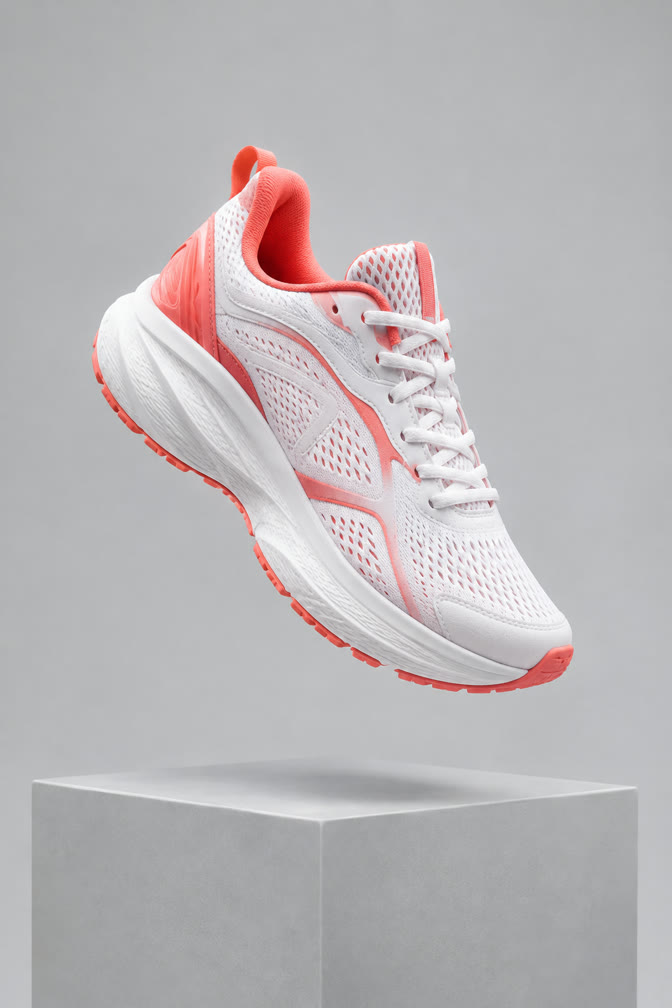
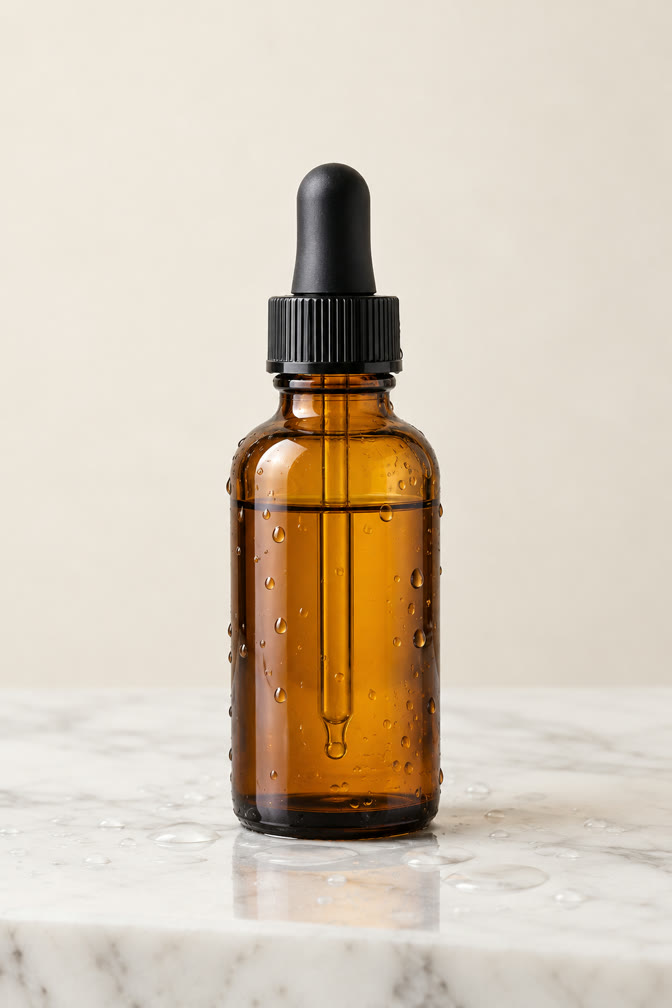
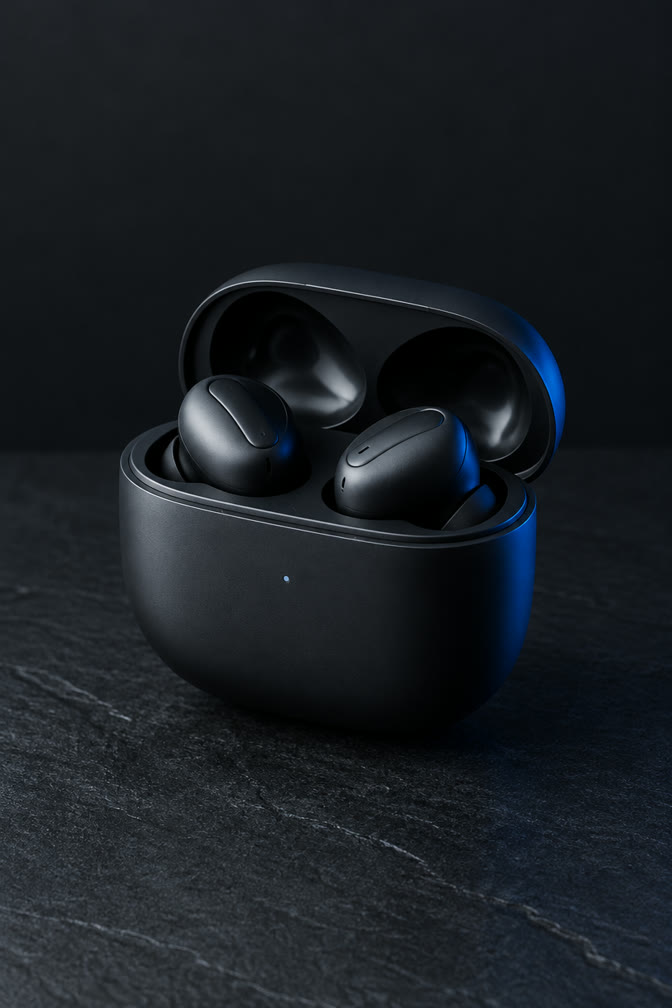
- Inputs. Five original studio product photos — a mug, a running sneaker, a serum bottle, an earbuds case and a candle — generated for this test with no logos or real brands, all in the same 2:3 portrait framing that phone photos and product listings usually have.
- One prompt for every run: "Slow cinematic orbit around the product, soft key light sweeping across its surface, gentle parallax in the background. The product stays sharp, correctly shaped and unchanged. No text, no logos, no people."
- Settings. Each model's standard 720p tier (768p for MiniMax H3), its shortest common length, no audio unless the model always adds it. Every run went through the same production path a Swayclip user's generation takes, on October 9, 2026.
- One attempt per photo and model. 30 clips, all shown below.
- How we judged. We compared the first, middle and last frame of every clip against the source photo: does the product keep its shape, colors and details (fidelity), does the camera actually orbit (prompt adherence), and are there visible artifacts.
- Credits are what each clip costs on Swayclip today, from the same credit pool for every model. Wait times are wall-clock, including queueing, with several jobs running at once — read them as relative, not absolute.
Disclosure. We run Swayclip and offer all six models, so we have no reason to favor one over another — but you should still treat this as one set of runs, not a lab study. Our first Veo 3.1 run failed on all five photos because of an aspect-ratio setting on our side (portrait photos were sent with a fixed 16:9 frame). We fixed it the same day; the Veo clips below are from the rerun.
Results by model
Veo 3.1 Fast — the best camera work. The only model that consistently performed a real orbit: the sneaker turns until its sole is visible, the mug handle swings around, the earbuds case rotates. It returns a true 720×1280 vertical clip (it crops a portrait photo to the nearest of 9:16 or 16:9), which is ready for Reels or TikTok as-is. Lengths are fixed at 4, 6 or 8 seconds.
Try Veo 3.1 Fast with the same prompt and settings →
Kling 3.0 — the most faithful product. Shapes and colors held up best across all five photos. But Kling often read "cinematic" as "move in": on the serum, candle and mug it ends on a tight macro close-up rather than an orbit. Great if you want a detail shot; less so for a turntable.
Try Kling 3.0 with the same prompt and settings →
Seedance 2.5 — the most cinematic look, at a price. Lighting and surface texture are the richest in the set, and motion is smooth. It is also the slowest (about five minutes per clip in our runs) and, at 325 credits for a 5-second 720p clip, several times the cost of Veo 3.1 Fast. On the sneaker the colorway shifted toward red by the last frame, and the earbuds case changed shape mid-clip — fine for mood pieces, risky for a product listing.
Try Seedance 2.5 with the same prompt and settings →
MiniMax H3 — calm and dependable. Motion is restrained and stable, and every clip comes with a generated audio track (it can't be turned off). The earbuds case lid deformed slightly at the end of one clip; otherwise outputs were clean.
Try MiniMax H3 with the same prompt and settings →
Seedance 2.0 Mini — the budget orbit. At 50 credits for 5 seconds at 720p (or 25 credits at 480p), it delivered recognizable orbits on most products. Expect small lighting and color shifts: the matte earbuds case picked up glossy highlights.
Try Seedance 2.0 Mini with the same prompt and settings →
Grok Imagine — draft speed. The fastest by a wide margin (about 35 seconds median). Motion is gentle and mostly faithful, but output resolution followed our small source photo down to 448×672, and fine details like the candle lid lost definition. Use it to test ideas, then re-render the winner.
Try Grok Imagine with the same prompt and settings →
All 30 outputs
Each block shows the source photo, then the six clips in the same order. Click a clip to play it.
Ceramic coffee mug

Running sneaker
Skincare serum bottle
Wireless earbuds case
Scented candle

Which model should you pick?
- Listing or turntable video: Veo 3.1 Fast. Best orbit, vertical-ready.
- Exact product appearance matters most: Kling 3.0, and tell it to keep the camera distance (e.g. "keep the full product in frame").
- Brand mood piece: Seedance 2.5, if the budget allows a few attempts.
- Testing many hooks cheaply: Seedance 2.0 Mini or Grok Imagine, then re-render the winner on a stronger model.
- Need sound in the clip: MiniMax H3 adds audio automatically.
All six run from the same image to video tool with one credit balance; you can switch models without uploading the photo again. For turning photos into ad-style footage, see product ads. Using these clips on a store or in a feed? See how to create a Shopify product video without filming and how to make a vertical TikTok product video.
FAQ
Is this sponsored by any model maker? No. Swayclip is independent and not affiliated with Google, ByteDance, Kuaishou, MiniMax or xAI.
Why portrait photos? Most product photos people actually have — phone shots and listing images — are portrait. It is also where we found two real bugs (Veo and Seedance framing) that we fixed before publishing.
Will you rerun this? Yes, when a major model version ships. The script we used is the same every time, so results stay comparable.