
How to Make a TikTok Product Video with AI (9:16)
Short answer: upload a product photo to an image-to-video model that outputs vertical video, generate a 4 to 8 second clip, then add captions, sound and your call to action in the TikTok app or an editor. With Veo 3.1 Fast on Swayclip a 4-second 720p clip costs 60 credits and took about a minute in our runs. The output is a true 720 x 1280 (9:16) MP4, above TikTok's stated minimum for vertical ads.
Real vertical outputs
These are unedited Veo 3.1 Fast clips from our October 2026 benchmark: four of the five product photos, one prompt, one attempt each. We checked the files: 720 x 1280 pixels, 4 seconds, with a generated audio track, and about half a megabyte each. Click to play. The source photos are AI-generated studio shots with no real brands.
The sneaker clip was made from this photo:
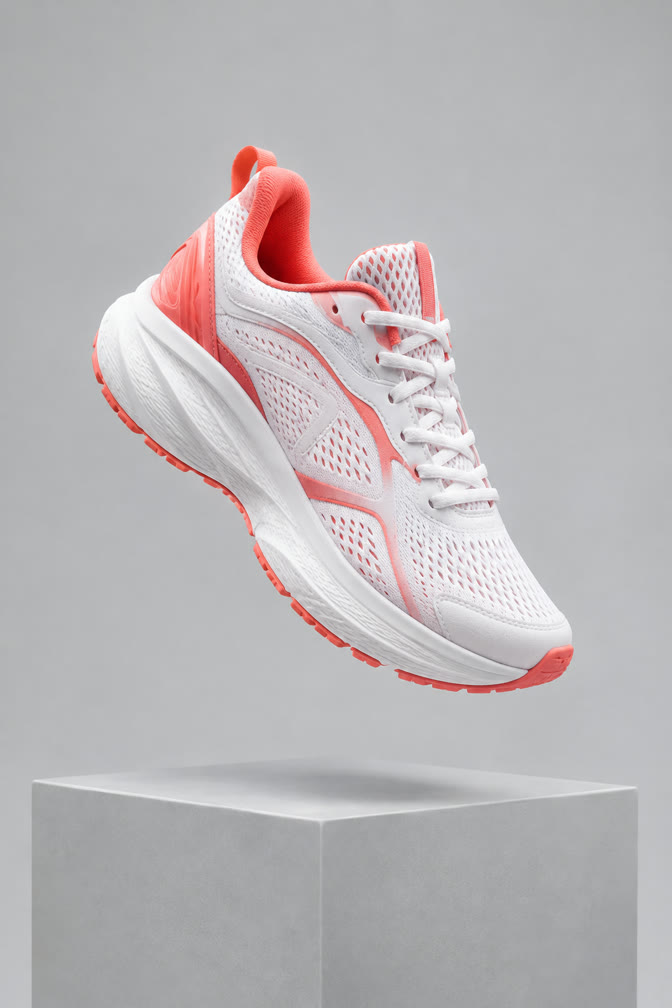
Prompt: Slow cinematic orbit around the product, soft key light sweeping across its surface, gentle parallax in the background. The product stays sharp, correctly shaped and unchanged. No text, no logos, no people.
For TikTok you can swap "orbit" for a faster move (push-in, reveal), but keep the last sentence: it is what keeps the product from changing shape.
What it costs
| Setting | Credits | Wait in our runs |
|---|---|---|
| Veo 3.1 Fast, 720p, 4 s | 60 | ~1 min |
Credits come straight from the live price table; the wait is from our October 9, 2026 runs. The generator shows the exact cost for the 6 and 8 second lengths before you run them, and failed generations are refunded. For cheaper drafts, Grok Imagine costs 30 credits for 6 s; from our small source photos it produced about 448 x 672, so treat it as a draft, not a final.
TikTok specs
From TikTok's Ads Manager help page (checked October 9, 2026), for non-Spark in-feed video ads:
- Vertical 9:16 recommended, at least 540 x 960 px (horizontal 16:9 at least 960 x 540, square 1:1 at least 640 x 640).
- Formats: .mp4, .mov, .mpeg, .3gp, .avi.
- Up to 10 minutes, 500 MB or less, bitrate at least 516 kbps.
- Spark Ads (boosting an existing organic post) list .mp4 or .mov with no duration restriction.
These are advertiser specs; organic posting has its own app limits that we did not verify, and TikTok can change these numbers, so confirm on the Ads Manager upload screen. Source: TikTok Auction In-Feed Ads.
Steps
- Start from a portrait photo of the real product, with the product centered. Veo crops a portrait photo to 9:16.
- Open image to video, choose Veo 3.1 Fast and use the link below to fill in the prompt.
- Generate and review the full clip against your photo.
- Download the MP4. Add captions, music or voice-over and a call to action in TikTok or your editor; the generator does not add text.
- Make a few variants and compare them.
For preset goals including a 9:16 social clip with templates and a recommended model, use AI Product Ads.
Try Veo 3.1 Fast with the same prompt and settings →
Limits you should know
- Four seconds is short. Hooks work, stories do not. Lengths are fixed at 4, 6 or 8 seconds; stitch clips in an editor for longer.
- No on-screen text. The model does not render reliable text or logos; add captions afterwards.
- Product drift. Check every clip: shape, color and fine parts can change, and an ad that shows something different from what you sell is misleading.
- Audio is generated. Veo 3.1 Fast clips carry a generated audio track; review it or replace it, and check TikTok's rules for audio in ads.
- One camera move per clip. It is footage, not a finished ad.
FAQ
How do I make a TikTok product video with AI? Photo in, vertical image-to-video clip out, then captions and a call to action in an editor.
What size should a TikTok video be? 9:16 vertical; TikTok lists 540 x 960 px as the minimum for vertical in-feed ads. Our Veo outputs are 720 x 1280.
Can I use the result commercially? See our commercial use page for output rights.