
How to Create a Shopify Product Video Without Filming
Short answer: you can make a Shopify product video without a camera by feeding a clean product photo into an AI image-to-video model, generating a 4 to 6 second clip, and uploading the MP4 as product media. On Swayclip that costs from 30 credits per clip on the fastest model to 75 on Kling 3.0, and a few minutes of waiting. Below: what we generated from real product photos, what each model costs, what Shopify accepts, and where this approach falls short.
What you start with
One product photo. The clip inherits its framing, lighting and product details, so a sharp, evenly lit catalog shot with the product filling most of the frame works best. The model animates what is visible; it does not invent labels, fix blur or add features the photo does not show.
Real outputs from the same photo
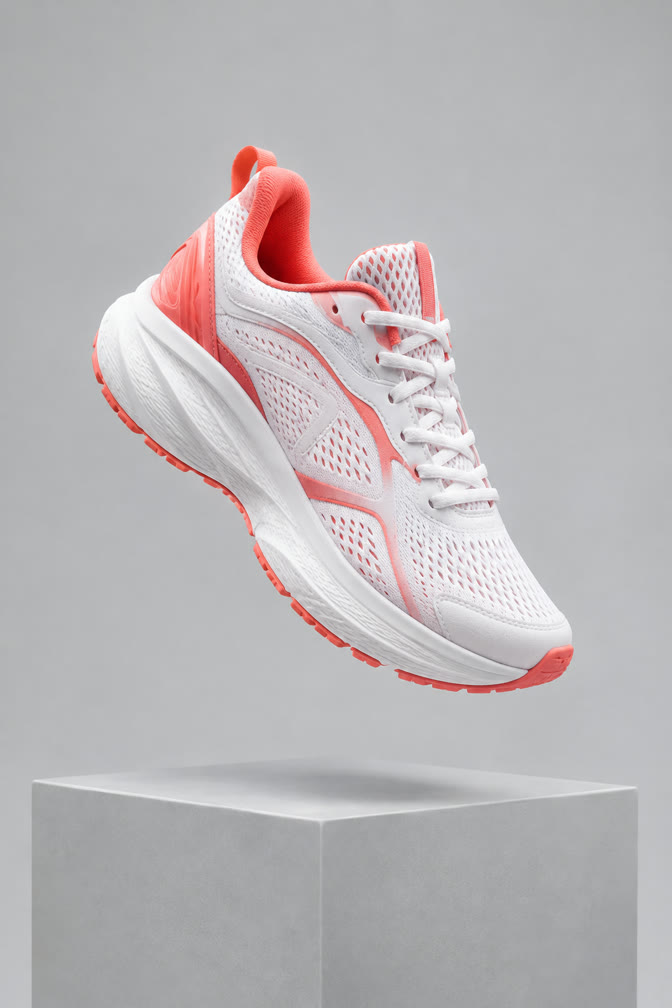
These clips come from our October 2026 product video benchmark: the same photos and the same prompt (shown below), one attempt per model, nothing retried or hand-picked. Click a clip to play it. The source photos are AI-generated studio shots with no real brands.
Running sneaker
Skincare serum bottle

All 30 outputs (five products, six models) are on the full benchmark page.
Prompt used for every clip: Slow cinematic orbit around the product, soft key light sweeping across its surface, gentle parallax in the background. The product stays sharp, correctly shaped and unchanged. No text, no logos, no people.
What each model costs
Credits per clip come straight from the live price table; wait times are measured on October 9, 2026. The generator shows the exact cost before you run, and failed generations are refunded.
| Model | Credits per clip | Wait in our runs | Use it for |
|---|---|---|---|
| Grok Imagine | 30 (6 s) | ~35 s | Fast drafts, testing many angles |
| Seedance 2.0 Mini | 50 (5 s); 25 at 480p | ~3 min | Low-cost orbit |
| Veo 3.1 Fast | 60 (4 s) | ~1 min | Best camera orbit; vertical output |
| Kling 3.0 (no audio) | 75 (5 s) | ~2 min | Product shape stays most faithful |
A practical routine for a store: draft each product on Grok Imagine or Seedance 2.0 Mini, pick the best motion, then re-render only that one on Veo 3.1 Fast or Kling 3.0 for the listing. Seedance 2.5 and MiniMax H3 are also available; the benchmark shows how they compare.
What Shopify accepts
From Shopify's help center (checked October 9, 2026):
- Uploaded video file types: .mp4, .mov or .webm. Shopify converts and serves them as .mp4 or HLS.
- Up to 1 GB, up to 10 minutes, up to 4K (4096 x 2160).
- In browsers that support streaming, videos play at 480p, 720p or 1080p.
- Your theme must support video; Shopify says its Online Store 2.0 themes do.
- YouTube and Vimeo embeds are the alternative and do not need to meet these upload requirements.
Shopify's page does not state a maximum number of media per product, so we do not either. Our clips are about a megabyte or less and 4 to 6 seconds long, far inside these limits. Sources: Product media types and Uploading and managing files.
Steps
- Pick a clean photo of the real product.
- Open image to video, upload it, choose a model and paste the prompt above (or start from one of the links below).
- Generate, then review the whole clip. Compare the last frame with your photo: shape, color and any printed detail.
- Download the MP4 and add it to the product's media in Shopify admin.
For goal-based presets (listing video, social clip, hero video) with a recommended model already set, use AI Product Ads.
Try the same settings
Each link opens the generator with the model, length and prompt filled in. You upload your own photo.
Limits you should know
- The product can drift. In our runs the colorway or the shape of small parts changed on some clips. Check every clip against the photo; for a listing, a clip that misrepresents the product is worse than no clip.
- No readable text. Labels, logos and packaging copy are not reliably reproduced. Keep the label out of the motion or add text afterwards in an editor.
- Short clips. Lengths are 4 to 8 seconds depending on the model.
- Not a size demonstration. It cannot show true scale, fit or how a product works.
- Rights. Use photos of products you are allowed to market. Our commercial use page covers output rights.
FAQ
Can I create a Shopify product video without filming? Yes, from a product photo with image-to-video, within the limits above.
What video format does Shopify want? .mp4, .mov or .webm, up to 1 GB and 10 minutes, per Shopify's help center.
Which model should I start with? Grok Imagine for cheap drafts, Veo 3.1 Fast for the best orbit, Kling 3.0 when product fidelity matters most.
Is it free? New accounts get a starting credit grant; each clip's credits are shown before you run it.