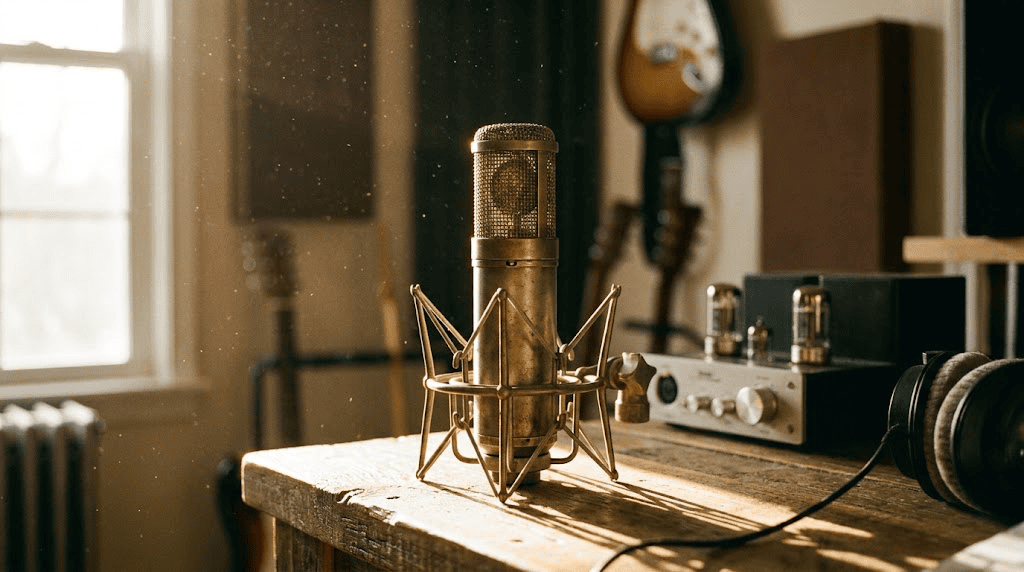
Same pair, a different take
The two portraits from the main demo, generated again. Compare the camera distance and gestures: a new run is a new performance, not an identical replay.
MiniMax H3 · 10-second request · 100 credits per generation
Upload two portraits to make an orange-studio rap duo with original music and voices. A playful take on the Hotel Lobby AI / Migos AI trend, made with MiniMax H3.
About 10 seconds · Portrait · 100 credits · Original audio
Choose one consenting adult per image. First image goes on the left, second on the right. Clear front-facing photos with similar framing work best.
Keep Default for the prepared verse, or choose Birthday, Friends or Couple to fill two editable lines. You can also turn on Custom lyrics to write your own. Review the 100-credit cost, then generate.
Watch with sound, check both faces and the mouth motion, then download. Label realistic AI content when sharing. Original music is included; no need to add the Hotel Lobby song.
Hotel Lobby AI, Migos AI and orange-booth videos describe the same recognizable idea: two performers, an orange studio and a hanging microphone. The look comes from Quavo and Takeoff’s Hotel Lobby performance on A COLORS SHOW. Swayclip turns two separate portraits into a new scene inspired by that setup.
You do not need a photo together or a video of either person. Upload one adult portrait for each side. The prepared scene brings both people into the frame and gives them a short back-and-forth performance.
MiniMax H3 generates the picture, beat and voices together. You get an original AI rap duo rather than the Hotel Lobby recording or a copy of its exact moves. Swayclip is independent of the artists and the original show.
The two portraits define your cast. Clear inputs make it easier to keep each person recognizable; they do not guarantee an exact likeness.
Use a front-facing adult portrait with even light. Avoid sunglasses, hands covering the mouth, heavy beauty filters and crowded group shots. Keep distinctive glasses or hairstyles clearly visible if you want them carried into the scene.
Choose similarly sized, waist-up portraits so neither person dominates the frame. The photos can be taken in different places: the template supplies the orange studio. Include the clothing you want the model to reference.
The first portrait is assigned to the left performer, the second to the right. Check both previews and use Swap to change the order. A single group photo is not supported by this template.
Upload a JPEG, PNG or WebP up to 10 MB per image. Choose a sharp source instead of a screenshot of a tiny profile picture. Selecting photos is free; the generation cost appears before you submit.
Keep the prepared verse for a quick take, or personalize the words with two short English lines. Birthday, friends and couple examples help you start; edit them before generating.
Pair two consenting friends, adult siblings or teammates for a playful shared clip. Photos taken separately work. Use the Friends lyric example or write a short line about a shared memory.
Put you and your partner, or an adult birthday guest and a friend, into the studio. Choose Birthday or Couple, replace the name or add an inside joke. Keep each side to one short English line; words and name pronunciation can vary.
Use your existing Swayclip balance. 100 credits per video. The $9 pack includes 300 credits: enough for 3 videos. No subscription required. The 50-credit signup balance is not enough for this template.
Cost preview: each new generation costs 100 credits. Viewing the example and selecting photos are free. Failed jobs refund credits automatically.
Your videos appear in this tool and your Swayclip history. Existing plan retention and download entitlements apply.
This is an original rap-duo scene. It does not reproduce the Hotel Lobby recording, artist voices or exact choreography. Faces, lyrics, hand movements and lip sync can vary.
An AI video can finish successfully and still need another take. Watch the whole clip, especially when each performer starts and stops their line.
Compare both faces with the input portraits, including glasses, hair and clothing. Try a clearer, less filtered photo if details drift. Changing the photo may help, but exact identity preservation is not guaranteed and another generation costs credits.
Listen to both turns and check that the mouth movements suit the voices. Custom lyrics guide the new performance, but exact words and lip sync are not guaranteed. A completed video cannot be repaired one word at a time or synced to your own song. A new take costs credits; technical failures refund credits.
Recorded on Swayclip with MiniMax H3, fictional adult portraits and the prepared default lyrics. Each clip requests the same 10-second scene; framing, gestures and facial details vary. These previews are muted—play the main example above to hear the original audio.
The two portraits from the main demo, generated again. Compare the camera distance and gestures: a new run is a new performance, not an identical replay.
MiniMax H3 · 10-second request · 100 credits per generation
Lavender on the left, mustard on the right. Different hairstyles and clothing help you check whether both references remain distinct as they take turns.
MiniMax H3 · 10-second request · 100 credits per generation
Burgundy and blue portraits become a wider studio shot with both performers visible. The model chooses the final framing; a close-up is not guaranteed.
MiniMax H3 · 10-second request · 100 credits per generation
These names describe a viral two-person performance look: an orange studio, a microphone and a rap duo. Swayclip’s Orange Studio Duo uses two portraits to create an original performance in a similar scene. It is not affiliated with the artists or the original show.
No. MiniMax H3 generates a new beat and voices with the video. This template does not use the original recording, clone artist voices or promise the original choreography.
The example is free to watch. 100 credits per video. The $9 pack includes 300 credits: enough for 3 videos. The 50 signup credits do not cover one generation.
Upload two clear photos, one consenting adult per image, with visible faces and similar framing. First is left, second is right. Avoid obstructed faces, crowded photos or extreme profiles. The first version is tested on adult portraits; pets and illustrations are not validated.
The template requests 10 seconds at 768P in portrait format. Our example is 10.125 seconds at 768 × 1344 with audio; exact output dimensions and timing may vary. This is not a guaranteed 1080p export or exact lip-sync service.
Failed generation jobs return credits automatically. A completed result can still have face drift, imperfect mouth motion or different lyrics; a new attempt is another 100 credits. Review the example before paying and contact support@swayclip.com for help.
Choose Birthday, Friends or Couple to fill two editable lines and open Custom lyrics, or turn it on to write your own. Default keeps the prepared verse with the editor closed. Each performer’s English line allows up to 10 words and 100 characters. The cost stays the same. Words, name pronunciation and lip sync can vary. Uploaded songs, voice clones and reference videos are not supported. AI Music Generator creates a separate track; it does not replace this video’s audio.
This template currently generates about 10 seconds. Some tools offer other lengths, but Swayclip’s Orange Studio Duo has one fixed duration and credit cost. Do not expect a 15-second export from this preset.
Allow several minutes. Queue load and the model can change the wait; there is no guaranteed completion time. Follow the task in your workspace or history instead of submitting again while it is still running.
The portrait clip is suitable for a short-form edit. Review the faces and sound, use only photos you have permission to animate, and follow the platform’s current AI-labeling rules. The preset includes original AI audio; it does not grant rights to add the Hotel Lobby recording.
Choose a model and animate a photo with your own prompt.
Write your own lyrics or music brief for a separate song. This does not replace the audio in the duo preset.
Describe a different setting or performance when you want control beyond this prepared orange-studio scene.